
Last updated: July 7, 2026
People search for “how Facebook accounts get hacked” for very different reasons. Some have lost access to their own profile. Some manage a Page or ad account that was taken over. Some received a fake Meta warning and want to know if it is real. Some are worried about a family device, a suspicious app, a Marketplace code request, or a message from a hacked friend.
The important truth is this: there is no legitimate tool that can reveal a Facebook password from a username, phone number, email address, or profile URL. There is also no legal third-party “recovery hacker” who can bypass Meta’s ownership checks. Facebook accounts do get compromised, but usually through phishing, password reuse, stolen sessions, malware, recovery-email compromise, fake support messages, or social engineering — not through a magic password-cracking app.
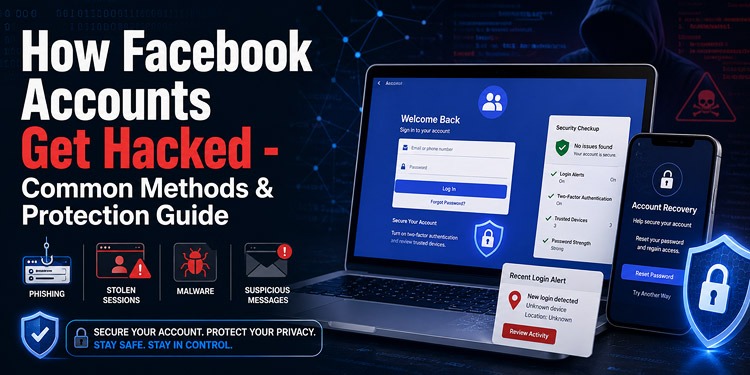
This guide explains the real ways Facebook accounts are compromised in 2026, how to recover your own account through official Meta tools, what monitoring apps like mSpy can and cannot legally do, and how to protect your profile, Messenger, Marketplace, Pages, advertising accounts, recovery email, and connected Meta accounts.
Legal and ethical disclaimer: This guide is for account recovery, defensive security education, privacy awareness, and monitoring of devices you own or are lawfully authorized to manage. Never access another person’s Facebook account, device, messages, location, email, authentication codes, or private information without lawful authorization. Monitoring, interception, employment, parental-control, and consent laws differ between jurisdictions. This article is not legal advice.
Affiliate disclosure: This article contains an affiliate link to mSpy. We may receive a commission if you purchase through it, at no additional cost to you. This relationship does not change the legal restrictions, compatibility requirements, limitations, or risks explained below.
Related Post:
>> How Instagram Accounts Get Hacked
Quick Answer: Can Facebook Accounts Really Be Hacked?
Yes, Facebook accounts can be taken over. But most successful takeovers do not happen because someone “cracked” Facebook from the outside. They usually happen because an attacker gets access to one of these:
- Your Facebook password.
- Your recovery email account.
- Your phone number or SMS codes.
- Your active Facebook session.
- Your unlocked phone or computer.
- Your browser cookies or extensions.
- Your Page or Business Manager permissions.
- A connected Meta, Instagram, or Messenger account.
If the account belongs to you, start with Facebook’s official hacked-account recovery process. Whenever possible, use a phone, computer, browser, and internet connection that you previously used with the account.
Do not pay someone on Telegram, WhatsApp, Instagram, Facebook, Reddit, or another platform who claims to have a private recovery panel, Meta employee contact, hacking bot, or secret bypass. Those offers are usually recovery scams.
What Facebook Account Takeovers Look Like in Real Life
A generic security checklist is useful, but real Facebook takeovers often feel messy. They do not always start with “your password has been changed.” Sometimes the first warning is smaller.
Scenario 1: The fake Page violation
A Page owner receives a message saying the Page violated copyright, trademark, advertising, or community rules. The message looks urgent and may use the Page name. It sends the owner to an “appeal” form that copies Meta branding. The form asks for a password, authentication code, or business access.
The practical rule: do not appeal through the link in the message. Open Facebook, Meta Business Suite, Business Support Home, Account Status, or Recent Emails directly and verify whether the warning exists there.
Scenario 2: The friend who sends a video link
A real friend’s account sends something like “Is this you in this video?” or asks you to vote in a competition. The link opens a Facebook-looking login page. The friend may not be involved at all; their own account may already be compromised.
The practical rule: if a message feels unusual, verify through another channel before clicking. A compromised friend can still sound like your friend because the attacker may read old conversations.
Scenario 3: The Marketplace buyer asks for a code
A buyer asks for your phone number “to confirm you are real.” Then a code arrives by SMS or email. The buyer asks you to send it back. That code is not a payment confirmation. It may be a login, recovery, or account-verification code.
The practical rule: never send a Facebook, Meta, email, Google, phone, banking, or payment-app code to a buyer or seller.
Scenario 4: The hacker adds their own 2FA
Some victims still know the correct password, but the attacker added an authenticator app, phone number, passkey, Meta device, or recovery route. The owner gets stuck because Facebook now asks for a code controlled by the attacker.
The practical rule: use a familiar device and official recovery flow. After recovery, immediately review authentication methods, recovery email, phone numbers, sessions, connected profiles, and Pages.
Scenario 5: The account seems normal, but ads or messages are abused
Not every attacker locks the owner out. Some keep the profile open and quietly use Marketplace, Messenger, Pages, groups, or advertising accounts. The first clear sign may be strange messages to friends, new Page admins, unexpected invoices, or ad campaigns you did not create.
The practical rule: account recovery is not finished until you check sessions, apps, business assets, ad billing, payment methods, Page roles, and connected Meta profiles.
Facebook Account Threat Comparison
| Threat | What really happens | Real warning signs | Best response |
|---|---|---|---|
| Official account recovery | Meta verifies ownership and helps the real account holder restore access. | Changed email, phone, password, 2FA, name, posts, messages, or login activity. | Use facebook.com/hacked from a familiar device. |
| Phishing | A fake Meta, Page, or friend message sends the user to a fake login or appeal page. | Urgency, external domains, threats, “appeal now,” or requests for codes. | Open Facebook directly and verify through Recent Emails or Business Support. |
| Messenger scam | A compromised friend sends a voting link, video link, recovery story, or money request. | Message sounds unusual, rushed, emotional, or asks for a code. | Verify through another channel before clicking or sending anything. |
| Reused password | A password leaked from another website is tested against Facebook. | Login alerts even though you never gave the password to anyone. | Use a password manager, unique password, passkey, and 2FA. |
| Stolen security code | The attacker already triggered a real Facebook code and persuades the victim to share it. | Someone asks you to read back an SMS, email, recovery, or 2FA code. | Never share codes. Review sessions and recovery settings. |
| Session theft | Malware or an extension steals an already logged-in browser session. | Account activity without an obvious password change or login email. | Log out sessions, remove extensions, scan or reset the device. |
| Malware or keylogger | Malware records input, browser data, cookies, screenshots, or stored credentials. | Unknown apps, browser redirects, security detections, repeated compromise. | Stop sensitive logins, clean device, change passwords from a clean device. |
| Email compromise | The attacker controls the inbox used for Facebook recovery. | Missing security emails, forwarding rules, unknown email sessions. | Secure email first, then recover Facebook. |
| SIM swap | The attacker moves your phone number to another SIM or eSIM. | Sudden loss of service plus reset or login alerts. | Contact carrier, secure accounts, move away from SMS where possible. |
| Page/ad takeover | A profile or business account with access is compromised. | New Page admins, removed owner, ad spend, new payment methods. | Audit Page access, Business Manager, campaigns, billing, and partners. |
| Fake hacking software | A supposed tool steals from the downloader or shows fake results. | “Hack any account,” surveys, payment unlocks, disable antivirus. | Do not install. Scan the device if already downloaded. |
| Recovery scammer | A person claims they can restore the account for a fee or code. | Upfront crypto/gift-card payment, secret Meta contact, remote access request. | Use official recovery. Do not pay recovery hackers. |
What “Facebook Hacking” Really Means in 2026
In casual language, people use “hacked” for several different situations:
- An attacker obtained the correct Facebook password.
- The victim entered credentials into a fake login page.
- A reused password appeared in another company’s data breach.
- The attacker gained control of the recovery email or phone number.
- Malware stole a password, cookie, token, browser session, or device data.
- The victim shared a login code or approved a fraudulent prompt.
- A trusted device was unlocked, borrowed, stolen, or already logged in.
- A Page admin, agency, or employee account was compromised.
- A connected Meta, Instagram, or Messenger account created another recovery route.
These are account-takeover scenarios. They are different from authorized ethical testing, parental controls, workplace device management, and recovering an account through Meta’s official process.
1. Recover Your Own Facebook Account Through Meta
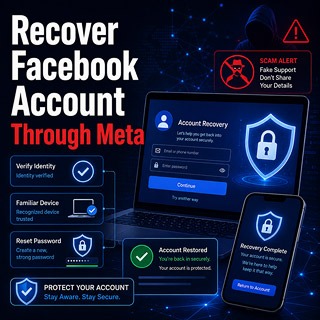
Official recovery is the safest first route when your own Facebook account is compromised. A keylogger, monitoring app, password guesser, or third-party “recovery hacker” cannot legitimately replace Meta’s ownership-verification process.
Start with the hacked-account page
- Use a phone, computer, browser, and internet connection previously used with Facebook.
- Type facebook.com/hacked directly into the browser.
- Follow the prompts to identify the account.
- Review recent account changes.
- Create a new password that is not used anywhere else.
- Review emails, phone numbers, active sessions, Pages, payment methods, advertising accounts, and connected apps.
If an attacker changed your email address, check the original inbox for a legitimate Facebook security message. Meta may provide a way to reverse an unauthorized email change. Verify that the message is genuine before using it.
Why a familiar device matters
Recovery often works better when Facebook recognizes the device, browser, and location. A brand-new device, VPN, new country, cleared browser, or unfamiliar network can make ownership harder to prove. If you still have an old phone or laptop that used Facebook before, try that first.
Secure your email account before Facebook
Your recovery email is effectively a master key. If an attacker can read that inbox, they may reset Facebook again after you recover it.
From a clean device:
- Change the email password.
- Log out unknown email sessions.
- Remove unfamiliar forwarding rules.
- Remove unknown recovery addresses and phone numbers.
- Remove application-specific passwords you do not recognize.
- Review connected apps and account access.
- Enable strong multi-factor authentication or a passkey.
Use Facebook Security Checkup after recovery
After regaining access, use Facebook Security Checkup to review password, login alerts, and two-factor authentication settings. Then go beyond Security Checkup by inspecting connected apps, Pages, ad accounts, payment methods, and Meta Account / Accounts Center connections.
2. Phishing and Fake Meta Security Messages
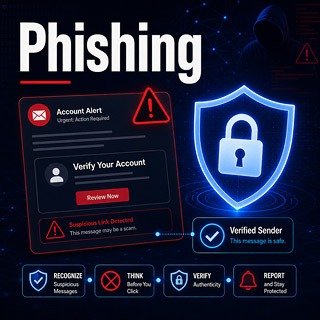
Phishing is still one of the most common Facebook takeover routes because it does not need to break Facebook’s systems. It only needs the victim to trust the wrong page.
Common Facebook phishing stories
- Your Page violated copyright or trademark rules.
- Your account will be disabled within 24 hours.
- Your ad account requires urgent verification.
- Your Marketplace payment needs confirmation.
- A friend needs you to vote in a competition.
- A video or photo allegedly shows you.
- A fake Meta employee needs your password or security code.
- A “case file” or “appeal document” must be downloaded.
The fake page may look polished and may even redirect to the real Facebook site after stealing the login. That makes the victim think the first login simply failed.
How to verify a Facebook or Meta email
Do not rely only on the logo, sender display name, or emotional wording. Open Facebook directly and check:
Settings & privacy > Settings > Accounts Center or Meta Account > Password and security > Recent emails.
You can also visit Facebook’s Recent Emails security page. Facebook says it will not ask for your password in an email or send your password as an attachment.
Forward suspicious Facebook-related emails to [email protected] and report suspicious messages through Facebook’s reporting tools.
The practical test before clicking
Before clicking any “appeal,” “verify,” “secure account,” or “payment release” link, ask:
- Did this warning appear inside Facebook itself?
- Does Recent Emails show that Meta sent it?
- Does the domain actually belong to Facebook, Meta, Instagram, or another official service?
- Is the message trying to scare me into acting before I think?
- Is it asking for a code, password, backup code, or passkey approval?
If the answer feels uncertain, stop and open Facebook yourself instead of using the supplied link.
3. Hacked Friend and Messenger Link Scams
A Messenger scam can be more convincing than an email because it appears to come from someone you already know.
Common messages include:
- “Is this you in this video?”
- “Can you vote for me?”
- “I need help recovering my account.”
- “Send me the code that just came to your phone.”
- “I’m selling tickets / a phone / a console / crypto.”
- “I’m locked out and need you to receive a code for me.”
Reading ordinary text does not normally compromise the account. The risk starts when you click a link, enter a password, approve a login, download a file, install an app, or share a code.
How to handle a suspicious friend message
- Contact the person through another channel.
- Ask a question that is not visible on their profile.
- Do not use a new number supplied in the suspicious conversation.
- Do not send screenshots of security settings or codes.
- Warn them through another route if you think their account is hacked.
A real friend should understand why you are checking. A scammer will usually push urgency, secrecy, or embarrassment.
4. Reused Passwords and Credential Stuffing
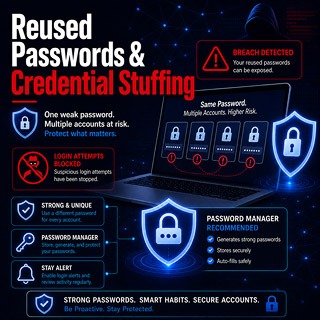
An attacker may not need to breach Facebook. If you reused your Facebook password on a forum, shop, old game, streaming site, email account, or small app that later leaked data, criminals can automatically test that exposed email-and-password pair against Facebook.
This is called credential stuffing.
The safest password setup
- Use a password manager.
- Generate a unique password for Facebook.
- Use a different unique password for the recovery email.
- Do not base passwords on public profile details.
- Do not use predictable variations of old passwords.
- Enable two-factor authentication.
- Create a Facebook passkey when available.
Do not create passwords from birthdays, hometowns, partners, pets, sports clubs, business names, or favorite quotes visible on your profile. Attackers do not need magic when the password is a reused or predictable pattern.
5. Stolen Security Codes and Login Approvals
Many takeovers happen after the attacker already knows the password but still needs a second factor. They trigger a real Facebook code and then trick the victim into sharing it.
Never share these
- Two-factor authentication codes.
- Password-reset links.
- Recovery codes.
- Backup codes.
- Email verification codes.
- Messenger or Marketplace “verification” codes.
- Passkey approval prompts.
- Remote access to your phone or computer.
One of the most common traps is a message saying, “I accidentally sent my code to your number.” That is usually not accidental. The person may be trying to use your number or account as part of a login or recovery attempt.
If you receive a code you did not request
- Do not share it.
- Check recent Facebook login activity.
- Check Recent Emails.
- Review recovery email and phone number.
- Change the password if other suspicious signs appear.
- Enable stronger 2FA if you still rely only on SMS.
6. Stolen Sessions and Malicious Browser Extensions

After you log in, Facebook keeps a session so you do not have to enter your password every time. Malware or a malicious extension may attempt to steal that session rather than the password itself.
This matters because a password change alone may not be enough. You also need to log out unfamiliar sessions and clean the device.
Review active Facebook sessions
In Accounts Center or Meta Account, open:
Password and security > Where you’re logged in.
Look for unfamiliar devices, browsers, operating systems, times, and activity. Do not judge only by the city. Location can be approximate because of mobile carriers, VPNs, travel, or internet-provider routing.
If a removed session comes back
This is a serious warning sign. It may mean:
- The recovery email is still compromised.
- A device is infected.
- A browser extension is stealing sessions.
- A connected app or Meta profile still provides access.
- You changed the password from the infected device.
Move to a clean device, secure email first, remove sessions again, then inspect apps, browser extensions, and devices.
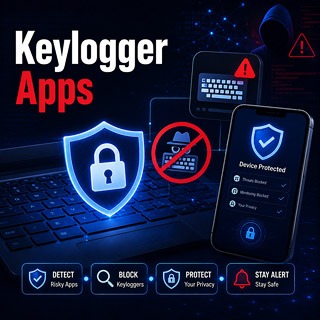
7. Malware, Infostealers, and Unauthorized Keyloggers

A malicious keylogger records what a user types. More advanced infostealers may collect browser passwords, cookies, autofill data, screenshots, cryptocurrency data, email credentials, and active sessions.
Common infection routes
- Cracked software and fake activators.
- Game cheats and mod menus.
- Fake Facebook recovery tools.
- Fake Facebook hacking tools.
- Malicious browser extensions.
- Password-protected ZIP files from strangers.
- Fake software updates.
- Remote support tools installed after a scam call or pop-up.
Warning signs
- Unknown apps or browser extensions.
- Security software disabled.
- Browser redirects or search changes.
- Unexpected administrator or accessibility permissions.
- New remote-access software.
- Unusual battery, CPU, data, or network use.
- Facebook gets compromised again soon after password changes.
Free security tools can still be useful when they are reputable and updated. Paid products may add support, identity monitoring, or extra protections, but do not assume “paid” automatically means it will detect every new infostealer. The most important step is to stop using the infected device for sensitive logins and clean or reset it properly.
What to do after suspected keylogging
- Stop using the potentially infected device for Facebook, email, banking, crypto, shopping, hosting, or password-manager logins.
- From a clean device, secure the primary email account first.
- Change important passwords.
- Revoke active sessions.
- Remove suspicious apps and browser extensions.
- Run updated security scans.
- Consider a full reset or operating-system reinstall when compromise cannot be ruled out.
Changing passwords on the infected device may simply give the attacker the new passwords.
8. Compromised Email and SIM-Swap Attacks
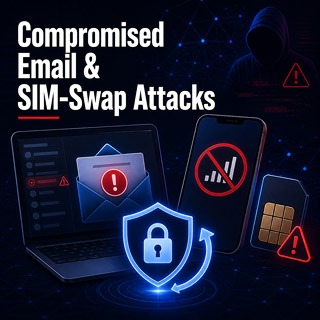
If an attacker controls your recovery email, they may reset Facebook. If they transfer your mobile number to another SIM or eSIM, they may receive SMS recovery or authentication codes.
Signs of compromised recovery email
- You cannot log in to email.
- Password-reset emails are missing.
- Facebook security emails appear in Trash or Archive.
- Unknown forwarding rules exist.
- Unknown recovery phone numbers or backup emails appear.
- Contacts report strange messages from your email.
Signs of a possible SIM swap
- Your phone suddenly loses mobile service.
- Your provider reports a new SIM or eSIM activation.
- You receive password-reset notifications you did not request.
- Your email, banking, or social accounts show unfamiliar activity.
Contact the mobile provider immediately using an official number or a physical store. Ask them to secure the account, reverse unauthorized changes, and add a carrier PIN or port-out protection if available.
Where possible, prefer passkeys, security keys, or authenticator apps over SMS. SMS is still better than no second factor, but it depends on the security of the mobile number.
9. Facebook Marketplace Verification and Payment Scams
Marketplace scams can start as a normal buyer/seller conversation. The attacker may not want the Facebook password at first; they may want the user to move off-platform, reveal a code, or follow a fake courier/payment link.
Warning signs
- The buyer immediately wants WhatsApp, Telegram, email, or text messages.
- A fake courier or payment service sends a link.
- The buyer asks for your phone number, then asks for a code.
- A screenshot is used instead of a verifiable payment inside your real app.
- You are asked to pay an upgrade, insurance, release, or verification fee.
- The buyer overpays and wants you to refund the difference.
- A link says you must sign in to receive funds.
A Facebook code does not confirm a Marketplace payment. A buyer who asks for a code is trying to use you in a login, recovery, or account-verification process.
10. Page, Business Manager, and Ad Account Takeovers
For business owners, the personal Facebook profile may control Pages, groups, Business Manager, ad accounts, pixels, catalogs, datasets, payment methods, and customer messages. A profile takeover can therefore become a business incident.
What attackers may do
- Add a new Page admin or person with full control.
- Remove the legitimate owner.
- Launch unauthorized ads.
- Change payment methods.
- Connect unknown Instagram accounts.
- Add agencies, partners, or system users.
- Change Page information or publish scam posts.
- Use Messenger inbox access to scam customers.
After recovering a business account
- Review Page access and task access.
- Remove former agencies, freelancers, employees, and unknown partners.
- Require 2FA for every Page or business administrator.
- Check active and scheduled ad campaigns.
- Review billing, payment methods, and invoices.
- Preserve evidence before deleting suspicious campaigns.
- Use Meta Business Support Home and official Page recovery options.
Do not add an unknown “Meta support partner” to your Page to fix a warning. That is a common way to lose control faster.
11. Public Wi-Fi and Man-in-the-Middle Risks
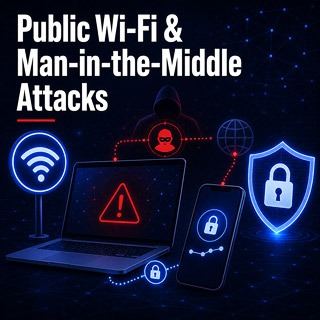
The old idea that anyone on a café Wi-Fi network can simply read every Facebook password in plain text is misleading. Facebook uses HTTPS, which protects properly established connections between your device and Facebook.
Public Wi-Fi still creates risks through:
- Fake hotspot names.
- Malicious captive portals.
- Phishing pages pretending to be network login pages.
- Fake certificate or profile installation prompts.
- Unpatched devices and browsers.
- Unsafe file sharing or network discovery settings.
Related Guide:
>> How Wi-Fi Password Attacks Work and How to Secure Your Router
Confirm the network name with the venue, avoid installing certificates or applications requested by unknown hotspots, and do not ignore browser security warnings.
A VPN can protect traffic between your device and the VPN service, but it does not protect you after entering credentials into a fake website, installing malware, or sharing a security code.
12. Fake Facebook Hacking Software and Brute-Force Tools
Fake Facebook hacking tools are one of the oldest traps. They promise to reveal passwords, run a brute-force attack, bypass Meta security, or hack any account using only a profile link.
Typical claims include:
- “Hack any Facebook account in minutes.”
- “100% working Facebook password cracker.”
- “Enter username to reveal password.”
- “No verification required.”
- “Undetectable brute-force app.”
- “Disable antivirus before opening.”
- “Complete a survey to unlock the password.”
- “Pay a small activation fee after the scan.”
These tools are usually scams, malware, survey traps, payment traps, or credential stealers. A desktop or mobile app cannot legitimately download a secret list of current Facebook passwords or bypass Meta’s login systems by hiding an IP address.
If you already downloaded one
- Disconnect from sensitive accounts.
- Uninstall the tool.
- Remove related browser extensions.
- Run a security scan.
- Change passwords from a clean device.
- Review Facebook sessions and email recovery settings.
13. Authorized Monitoring Software: mSpy
Important: mSpy is not a Facebook password-recovery tool and it does not bypass Facebook authentication. It is commercial device-monitoring software. Available features depend on the device, operating system, installation method, permissions, account configuration, subscription, and current product support.
Its appropriate use is limited to situations where you own the device or have lawful authority and any required knowledge or consent from the device user.
What mSpy may be used for legally
- Managing a device you personally own.
- Parental supervision of a minor child where local law permits it.
- Managing an organization-owned device under a clear monitoring policy.
- Monitoring another person’s device only when that person has given valid, informed consent.
What mSpy cannot legitimately do
- Reveal the password of a Facebook account from a profile URL.
- Recover your Facebook account from an attacker.
- Bypass Meta’s password, passkey, 2FA, or identity checks.
- Remotely install itself on any phone using only a phone number.
- Guarantee identical features across Android and iPhone.
- Make secret monitoring legal when the law or required consent does not allow it.
Current compatibility considerations
Standard Android installation normally requires physical access to the managed device and the granting of significant permissions. iPhone availability and features differ by method. Depending on setup, iPhone monitoring may require iCloud credentials and confirmation codes, or physical access, the phone passcode, a USB connection, and a compatible Windows PC or Mac.
Messenger, keystroke, call, location, browser, photo, and messaging features should never be assumed to work on every device. Review the current official compatibility and legal-use requirements before purchase.
Purchase mSpy:

Check local law and the product’s current terms before purchase or installation. Do not buy or install monitoring software when you lack legal authority or required consent.
14. Hacker-for-Hire and Account-Recovery Schemes

Recovery scammers target people who are already panicked. They promise to recover a Facebook account through a Meta employee, private exploit, admin panel, server unlock, or secret verification method.
They may request:
- Upfront payment in cryptocurrency, gift cards, or payment apps.
- Your Facebook password.
- Your email password.
- A security code sent to your phone.
- Remote access to your device.
- Extra “server,” “unlock,” “release,” or “verification” fees.
- Identity documents unrelated to the official Meta recovery flow.
A legitimate cybersecurity professional may help inspect devices, remove malware, preserve evidence, secure email, and guide you through official recovery. They cannot guarantee that Meta will return the account or secretly bypass Meta’s ownership checks.
What to Do If Your Facebook Account Was Hacked
Use this order. The order matters because many people recover the account, then lose it again because the email, session, device, or business access was still compromised.
- Use a clean device. Avoid changing passwords on a device that may contain malware.
- Secure your primary email first. Change its password, revoke sessions, remove forwarding rules, and review recovery settings.
- Open Facebook’s official recovery page. Type
facebook.com/hackeddirectly into a familiar browser. - Check the original email inbox. Look for legitimate Facebook messages about unauthorized email or password changes.
- Create a unique Facebook password. Do not reuse another account’s password.
- Review active Facebook sessions. Log out unfamiliar devices, browsers, and locations.
- Remove unknown contact information. Check emails and phone numbers attached to the account.
- Review authentication methods. Remove unknown authenticator apps, passkeys, security keys, or phone numbers.
- Review connected Meta profiles. Check Facebook, Instagram, Messenger, WhatsApp, Meta Horizon, and other connected experiences.
- Remove unknown apps and websites. Review Facebook Login connections and business integrations.
- Enable stronger authentication. Create a passkey if available and enable 2FA.
- Save recovery codes securely. Store them offline or in a protected password manager.
- Audit Pages, Business Manager, and ad accounts. Check admins, partners, payment methods, campaigns, and spending limits.
- Warn friends, customers, and Page followers. Tell them not to trust recent links, payment requests, ticket sales, investment offers, or emergency messages.
- Clean affected devices. Remove malware, suspicious extensions, and remote-access tools; reset the system if necessary.
- Preserve evidence. Save screenshots, messages, email headers, transaction records, campaign IDs, usernames, and dates before deleting important evidence.
>> For more detailed and in-depth FB protection guide, check our Protect Facebook From Hacking: Complete 2026 Security Guide
Before You Log Out of Every Device
Logging out unfamiliar sessions is important, but there is one practical warning: if you are barely still inside the account, do not destroy your last trusted recovery route before securing the essentials.
Before logging out of everything, confirm that you have:
- Access to the recovery email.
- Access to your phone number or stronger 2FA method.
- Saved recovery codes.
- A unique password ready in your password manager.
- A clean device to continue recovery.
- Checked whether the current logged-in device is the only trusted route left.
If the attacker is actively using the account, containment comes first. But if you are troubleshooting a delicate recovery situation, secure recovery routes before removing every session blindly.
Facebook Security Checklist for 2026
- Use a unique password stored in a reputable password manager.
- Create a Facebook passkey when available.
- Enable two-factor authentication.
- Prefer an authenticator app or security key over SMS where practical.
- Store Facebook recovery codes securely.
- Enable alerts for unrecognized logins.
- Keep the recovery email account equally protected.
- Review email forwarding rules.
- Add a mobile-carrier account PIN or port-out lock where available.
- Review Where you’re logged in regularly.
- Remove old connected apps and websites.
- Keep Facebook, browser, and operating system updated.
- Install apps only from official or trusted sources.
- Review browser extensions and mobile accessibility permissions.
- Never share login, recovery, or two-factor authentication codes.
- Verify Meta emails through Recent Emails.
- Do not grant unknown people remote access to your device.
- Check Page, Business Manager, and ad account permissions.
- Remove former employees, freelancers, agencies, and partners promptly.
- Do not pay recovery hackers.
Outdated Facebook Hacking Advice and Myths
A username or phone number can reveal the password
False. A username or phone number may identify an account, but it does not reveal the password.
A brute-force app can crack any Facebook account
False. Software making this promise is likely deceptive, malicious, or designed to collect payments, surveys, or the downloader’s own credentials.
Incognito mode makes hacking anonymous
False. Private browsing mainly limits what the browser stores locally. It does not hide activity from websites, network operators, employers, platforms, or law enforcement.
A VPN prevents Facebook from detecting suspicious activity
False. A VPN changes the apparent network address, but Facebook can use many additional risk signals. A VPN also does not legalize unauthorized access.
mSpy can remotely hack a Facebook password
False. mSpy is device-monitoring software with authorization, access, permission, compatibility, subscription, and legal requirements. It is not a Facebook recovery or bypass tool.
A professional hacker can guarantee account recovery
False. Only Meta controls Facebook ownership verification and recovery systems.
Passwords should be stored in an Excel document
Not recommended. A password manager is safer and more practical than an unprotected spreadsheet or ordinary cloud document.
2FA means Facebook can never be hacked
False. 2FA helps, but attackers can still target recovery email, active sessions, malware, SIM swaps, stolen codes, connected apps, and Page administrators.
One weird login city proves the account was hacked
Not always. Facebook location can be approximate. Compare device, browser, time, activity, and settings changes before deciding.
You might be interested in:
>> How TikTok Accounts Get Hacked
Frequently Asked Questions
Can I recover a Facebook account if the hacker changed the email and phone number?
Possibly. Use facebook.com/hacked from a familiar device and check the original email inbox for a legitimate Facebook message about an unauthorized email change. Recovery is not guaranteed because Meta must verify ownership.
What if the hacker added their own authenticator app?
Use Facebook’s official recovery flow from a familiar device. If you regain access, immediately remove unknown authentication methods, add your own 2FA, generate new recovery codes, and review sessions, contact information, email security, and connected Meta profiles.
Can someone hack Facebook using only my username or profile link?
No legitimate tool can derive your password from a username or profile URL. Public profile information can still help criminals create convincing phishing messages or impersonation scams.
Can a friend request hack my Facebook?
A friend request alone does not provide account access. The danger is what may happen later: phishing links, code requests, impersonation, emotional manipulation, Marketplace scams, or fake support messages.
Can opening a Messenger message hack my account?
Reading ordinary text is not normally enough. The risk increases if you click a link, download a file, install software, approve a login, enter your password, or send a security code.
Why did Facebook show a login from a city I never visited?
Approximate locations can reflect VPNs, mobile-carrier routing, internet-provider gateways, or nearby cities. Focus on device type, browser, time, and account activity rather than city alone.
Does changing my Facebook password log out the attacker?
Do not rely on the password change alone. Review Where you’re logged in, remove unknown sessions, secure email, remove unknown 2FA methods, inspect connected apps, and clean compromised devices.
Why does my account keep getting hacked after I change the password?
The attacker may still control your email, phone number, active session, browser extension, device malware, connected Meta profile, or Page/business access. Secure the recovery route and device, not only the password.
Can a keylogger steal a Facebook password?
Malicious keyloggers can record typed passwords. More advanced infostealers may steal sessions or browser data. Use a clean device for password changes after suspected infection.
Can Facebook be hacked even with two-factor authentication?
Yes. 2FA improves security, but attackers may trick users into sharing codes, steal sessions, compromise email, abuse connected apps, SIM-swap the phone number, or add their own 2FA after gaining access.
Is SMS two-factor authentication useless?
No. SMS is better than password-only access. However, authenticator apps, hardware security keys, and passkeys are generally stronger because they are less dependent on the mobile number.
Are Facebook passkeys available in 2026?
Facebook supports passkeys on compatible mobile devices, but availability can vary by account, device, app version, country, and rollout status. A password and recovery routes may still remain as fallback options.
Does mSpy reveal someone’s Facebook password?
No. mSpy should not be presented as a Facebook password-recovery or hacking tool. It is device-monitoring software, and its lawful use depends on device ownership, authority, consent, installation method, platform, permissions, and current product support.
Can mSpy be installed remotely with only a phone number?
No reliable legal monitoring setup should be advertised that way. Real device monitoring normally requires access, credentials, permissions, and lawful authority. Claims of “install with just a number” are a serious warning sign.
Should I pay an Instagram, Telegram, or WhatsApp hacker to recover Facebook?
No. Recovery scammers frequently target people who have already lost accounts. Use official Meta recovery tools and reputable local cybersecurity help only for legitimate tasks such as malware removal, evidence preservation, and device cleanup.
Where should I report a fake Facebook security email?
Do not open suspicious attachments or enter credentials through its links. Forward suspicious Facebook-related emails to [email protected] and use Facebook’s built-in reporting tools.
What should I do if a Marketplace buyer asks for a code?
Do not send it. A code sent to your phone or email is not proof of a legitimate sale. It may be a login, recovery, or account-verification code.
Can a VPN protect me from Facebook phishing?
No. A VPN may protect some network traffic, but it cannot stop you from entering credentials into a fake page, sharing a code, installing malware, or paying a recovery scammer.
What if my Facebook Page was stolen but my personal profile still works?
Review Page access, Business Manager, partners, system users, ad accounts, payment methods, and linked Instagram profiles immediately. Remove unauthorized access if you can and use official Page recovery if you were removed.
What is the safest first step after a Facebook hack?
Use a clean device and secure the recovery email first. Then use Facebook’s official hacked-account flow, change the Facebook password, revoke sessions, remove unknown recovery methods, and audit connected apps and business assets.
Final Verdict
Facebook accounts do get hacked, but not through magic password-cracking apps or secret hacker panels. The real takeover paths are phishing, stolen codes, reused passwords, compromised email, SIM swaps, malicious extensions, session theft, malware, Marketplace scams, Page-access abuse, and recovery scammers.
The safest response is to secure your email account, use Facebook’s official recovery process from a familiar device, revoke unknown sessions, remove unauthorized settings, review connected Meta profiles, clean affected devices, and protect the account with a unique password, passkey, two-factor authentication, login alerts, and recovery codes.
Authorized monitoring software such as mSpy belongs in a separate category. It may have legitimate parental-control or organization-owned-device uses where lawful authority and required consent exist, but it must never be advertised as a way to secretly hack Facebook, bypass Meta, or access another adult’s communications without authorization.
For a deeper protection checklist, read our full Protect Facebook From Hacking: Complete 2026 Security Guide.
Similar Posts:
>> How to Spy on a cellphone device remotely
Thank you for reading.