
Last updated: June 23, 2026
People searching for how to hack an Instagram password may be trying to understand how account takeovers happen, recover an account they own or protect themselves from a suspected attack. Unfortunately, the same search results often lead to fake Instagram hack apps, credential-stealing websites, malicious downloads and people falsely claiming they can break into any account.
There is no legitimate application that can instantly reveal any Instagram password from a username, profile link or phone number. Most successful Instagram account compromises do not involve “hacking Instagram” directly. Instead, attackers target the account owner through keyloggers, phishing messages, reused passwords, malicious applications, stolen browser sessions, compromised email accounts and fraudulent recovery services.
This guide explains how those methods operate without providing instructions for attacking another person’s account. Understanding the warning signs can help you recognize an attempted Instagram hack before your password, private messages, personal information or business profile is stolen.
Legal and ethical disclaimer: Never access, monitor or attempt to recover an Instagram account that does not belong to you unless you have explicit legal authorization from its owner. Never install monitoring software on another person’s device without the ownership, notice and consent required by applicable law. Unauthorized account access, credential interception and covert device monitoring may lead to civil and criminal penalties.
Quick Summary: How Instagram Accounts Are Compromised
| Method | What attackers target | Common warning sign | Primary protection |
|---|---|---|---|
| Keylogger or monitoring software | Typing and activity on the device | Unknown apps or powerful permissions | Device security and permission reviews |
| Phishing | Login details and verification codes | Urgent link claiming to be Instagram | Verify communications inside Instagram |
| Credential stuffing | Passwords reused after another breach | Unexpected login attempts | Unique passwords and two-factor authentication |
| Password guessing | Weak or predictable passwords | Repeated login or reset notifications | Long, randomly generated passwords |
| RATs and infostealers | Passwords, browser data and session tokens | Suspicious downloads or extensions | Updates, security scans and trusted sources |
| Session theft | An already authenticated login session | Unrecognized device in login activity | Sign out unknown sessions and secure devices |
| Physical device access | Unlocked phone, browser or password manager | Settings or account information changed | Strong screen lock and remote-device protection |
| Malicious connected apps | Authorized Instagram data or account actions | Unknown app in website permissions | Remove unnecessary third-party access |
| Email or phone takeover | Password-reset and security channels | Lost mobile service or changed recovery details | Secure email and mobile-carrier account |
| Instagram hacking software | The person searching for a hack tool | Payment or APK required before results | Use official and trusted sources only |
| Hiring professional hacker | Locked-out and distressed account owners | Guaranteed recovery for an upfront fee | Use Instagram’s official recovery system first |
How to Tell Whether Your Instagram Account Has Been Hacked
A hacked Instagram account does not always become immediately inaccessible. Some intruders change the password and contact information at once, while others remain logged in and quietly observe the account before sending scams to followers.
Possible warning signs include:
- You receive a login alert for a device, browser or location you do not recognize.
- Your password, username, email address or phone number changes unexpectedly.
- Posts, Stories, comments or direct messages appear that you did not create.
- Your account begins following unfamiliar profiles.
- Friends report receiving investment offers, requests for money or suspicious links from you.
- You are suddenly logged out of devices that previously worked.
- A connected Facebook, Meta or Instagram account appears that you do not recognize.
- You receive repeated password-reset emails that you did not request.
- Your email account contains deleted Instagram security notices or unfamiliar forwarding rules.
A password-reset email by itself does not necessarily mean someone successfully entered the account. It can mean that another person submitted your username or email address to the reset form. Nevertheless, repeated unexpected notices are a good reason to review your login activity, password and two-factor authentication settings.
To learn how to fully secure your Instagram account from hacking, check our Protect Instagram From Hacking: Complete 2026 Security Guide
11 Methods Used in Instagram Account Hacks
1. Keyloggers and Device-Monitoring Software
 What the method targets: Information entered or displayed on a phone or computer rather than Instagram’s own servers.
A keylogger is software or hardware that records keyboard input. Depending on how it operates, it may capture words typed into websites, applications, messages and search fields. More advanced monitoring software may also collect screenshots, application activity, notifications or other device information.
This distinction is important: a keylogger does not usually “crack” Instagram’s encryption or calculate the correct password. Instead, it attempts to observe information on an endpoint where the user enters or views it.
Keylogging functionality can appear in several contexts:
- Malware unknowingly installed from an attachment, modified application or fake software update.
- A dangerous browser extension with excessive permissions.
- Commercial monitoring software installed by someone who has physical or administrative access to a device.
- Legitimate accessibility, parental-control or workplace-management technology that is abused outside its permitted purpose.
- Physical recording devices attached to poorly secured shared computers.
Modern phones restrict what ordinary applications can access, but an app granted powerful accessibility, device-administration, notification or screen-recording permissions may still see more than a typical app. A compromised computer may also capture information entered into Instagram through a web browser.
mSpy App
mSpy is a commercial parental-monitoring product. Depending on the device, operating system, subscription and installation method, it advertises features involving location, browsing activity, messages, social applications, screen recording and keystroke monitoring.
It should not be described as software that remotely hacks an Instagram password. It cannot legitimately be used to enter a stranger’s Instagram account, bypass Instagram’s security or monitor an unrelated adult without authorization.
A lawful use case may involve a parent configuring monitoring on a device the parent owns and provides to a minor child, subject to local laws and appropriate disclosure. Business monitoring may require written workplace policies, employee notification and legal review. Monitoring a spouse, partner, friend or employee’s personal device without permission can violate privacy, interception and computer-misuse laws.
Before buying any monitoring product:
- Confirm that you own or lawfully manage the device.
- Check whether notice or explicit consent is required.
- Review current compatibility for the exact phone and operating-system version.
- Do not assume that every promoted feature works on every device.
- Understand which permissions or physical configuration are required.
- Use the minimum monitoring necessary for the legitimate purpose.

How to Protect Yourself From a Keylogger
Review installed applications and browser extensions regularly. Pay particular attention to software you do not recognize and apps with accessibility access, device-administration rights, notification access, screen-recording capability or permission to install other applications.
Install operating-system, browser and application updates promptly. Download software only from official stores or verified developer websites, and avoid modified social-media apps, game cheats, cracked programs and “premium unlocked” APK files.
Protect phones and computers with a strong screen lock. Do not leave an unlocked device unattended, and do not allow an untrusted person to configure applications or remote-support tools.
If you suspect that a device contains a keylogger, avoid changing important passwords on that device until it has been examined or cleaned. Use a separate trusted device to secure your email and Instagram account, then run reputable security scans. In a serious compromise, backing up essential personal files and performing a verified factory reset or clean operating-system installation may be safer than trying to remove individual suspicious components.
2. Phishing and Fake Instagram Login Pages
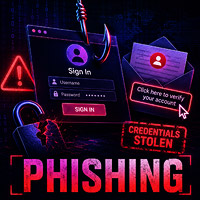 What the method targets: The user’s trust.
Phishing remains one of the most common ways social-media credentials are stolen. The attacker creates a message or page that resembles an Instagram communication and pressures the recipient to provide a password, verification code or other sensitive information.
Common Instagram phishing stories include:
- “Your account will be disabled for copyright infringement.”
- “Your verification badge is ready.”
- “Someone reported your profile. Appeal within 24 hours.”
- “Your account has violated community standards.”
- “A suspicious login was detected. Confirm your identity.”
- “Vote for me in this competition.”
- “Your business is eligible for a sponsorship.”
- “Open this file to review a brand collaboration.”
The link may open a page that visually imitates Instagram. Information entered there is sent to the scammer rather than Instagram. Some campaigns then ask for a two-factor authentication code, backup code or email confirmation so the attacker can complete the account takeover.
Phishing can arrive through email, SMS, WhatsApp, Telegram, advertisements, direct messages or a compromised friend’s account. A message from someone you know is not automatically safe because their account may already have been stolen.
How to Recognize Instagram Phishing
Be suspicious of urgent threats, unexpected prizes, verification offers and messages asking you to confirm account ownership through an external link. Check the complete web address before entering credentials, not only the logo or page design.
Instagram provides a section where users can review official emails recently sent by the platform. When a suspicious message claims to come from Instagram, open Instagram independently and check the recent-email information in Accounts Center rather than following the message’s link.
Instagram does not contact users through a direct message to warn that an account will be deleted or to request a password. Do not send passwords, login codes or backup codes through a message, even to someone claiming to be support staff.
What to Do After Entering Information on a Phishing Page
Act from a trusted device:
- Change your Instagram password immediately.
- Change the password of the connected email account if it was reused or may also have been exposed.
- Enable two-factor authentication using an authentication app.
- Review Instagram login activity and sign out unfamiliar sessions.
- Review connected applications and websites.
- Check whether the attacker changed your email address or phone number.
- Warn contacts if suspicious messages were sent from your profile.
Do not continue interacting with the phishing sender. Save screenshots and message details if the incident caused financial loss, impersonation or threats.
Related Post:
– How to Hack a Facebook Account
3. Credential Stuffing and Reused Passwords
 What the method targets: A password exposed by a different service.
Credential stuffing occurs when criminals obtain lists of email addresses, usernames and passwords from previous data breaches and test those combinations against other services.
For example, a password might have been exposed by an unrelated forum, shop, game or application years earlier. If the owner reused that same password for Instagram, an attacker may be able to enter the Instagram account even though Instagram itself was not breached.
This attack is one reason password reuse is so dangerous. A user might think that an old account on a forgotten website is unimportant, but a breach of that site can expose credentials that remain valuable elsewhere.
Attackers may also combine leaked information with automated tools, proxy networks and account lists. Instagram and other platforms use rate limits, suspicious-login detection and additional checks, but no defensive system can fully compensate for a password that is both exposed and reused.
How to Defend Against Credential Stuffing
Every important account should have a unique password. A reputable password manager can generate and save long random passwords, making it unnecessary to remember variations manually.
Do not create a predictable pattern such as adding “Instagram,” “2026” or one extra symbol to the same base password. Once an attacker understands the pattern, several accounts may remain vulnerable.
Enable two-factor authentication so a stolen password alone is less likely to provide access. An authentication app is generally preferable to relying exclusively on SMS because control of a telephone number can sometimes be transferred through a SIM-swap attack.
Secure your email account especially carefully. Email frequently serves as the recovery channel for Instagram and many other services, so a reused email password can turn one compromise into several account takeovers.
4. Password Guessing and Personal-Information Research
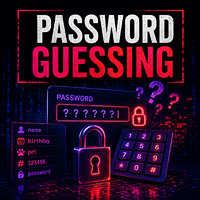 What the method targets: Weak passwords based on information that is easy to discover.
Password guessing is less dramatic than malicious software, but it can still succeed when a user chooses something short, common or personal. Birthdays, pet names, football clubs, partner names, hometowns and simple keyboard patterns are often visible or inferable from public profiles.
A criminal targeting a particular person may review public posts and other social accounts for clues. Information shared for harmless reasons can unintentionally reveal likely password themes or answers to recovery questions used by email and mobile providers.
Publishing a birthday message, a pet’s name or a photograph of a new car does not directly reveal a password. The risk arises when the same details are used to create predictable credentials.
How to Create a Safer Instagram Password
Use a long, unique password generated by a password manager. Length and randomness matter more than inserting predictable substitutions such as replacing the letter “a” with “@”.
A strong password should not contain:
- Your name or Instagram username.
- Your birthday or birth year.
- A partner’s, child’s or pet’s name.
- A telephone number.
- A favorite team followed by a year.
- A password already used by another account.
Do not share a password with friends or partners as proof of trust. Shared credentials are difficult to control, especially after a friendship, employment relationship or romantic relationship ends.
Repeated failed login or password-reset notifications can indicate that someone is guessing or testing your account details. Review security settings and avoid approving any login request you did not initiate.
5. Remote-Access Tools, Infostealers and Malicious Downloads
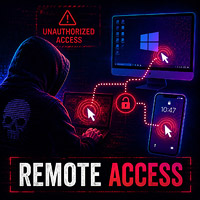 What the method targets: The phone or computer used to access Instagram.
A remote-access trojan, commonly abbreviated as RAT, is malware that gives an attacker unauthorized control or visibility over an infected device. An infostealer is designed primarily to collect information such as saved passwords, authentication cookies, browser profiles, cryptocurrency-wallet data and system details.
Learn: How to remove malware from an infected device
These threats may be disguised as:
- A cracked game or program.
- A modified Instagram application.
- A “private profile viewer.”
- An Instagram follower or verification tool.
- A document connected to a brand deal.
- A fake invoice or copyright complaint.
- A browser update or security program.
- A malicious browser extension.
After execution, malware may attempt to capture browser sessions, take screenshots, read clipboard contents, record keystrokes or download additional components. It may also send messages from a compromised account to infect the victim’s contacts.
Downloading a supposed Instagram hacking program is particularly dangerous. The person searching for a way into someone else’s account can become the malware operator’s victim instead.
How to Recognize a Possible Malware Infection
Warning signs may include unfamiliar applications, unexplained browser extensions, security settings that change, unexpected remote-access tools, high background network activity, disabled security software or accounts being accessed shortly after a suspicious download.
Battery drain or poor performance alone does not prove malware because many legitimate issues cause similar symptoms. Look for a combination of unexplained changes rather than relying on one sign.
How to Protect Your Device
Use automatic updates and reputable security software. Avoid pirated applications, modified APK files, unknown browser extensions and attachments from unsolicited business offers.
Check an attachment’s claimed purpose. A company offering a simple sponsorship should not need you to run an executable file, disable antivirus protection or install a special browser extension.
If malware is suspected, disconnect the affected device from sensitive accounts, preserve evidence where necessary and scan it with current security software. Change passwords from a separate clean device. A full reset or clean reinstall may be appropriate when a sophisticated compromise cannot be confidently removed.
6. Browser Session and Authentication-Token Theft
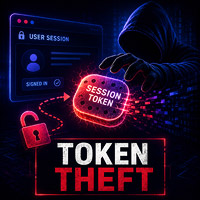 What the method targets: Proof that a user has already logged in.
After a successful login, websites normally create a session so the user does not need to enter a password on every page. The browser stores information representing that authenticated session.
If malware or a malicious extension steals usable session information, an attacker may be able to impersonate the logged-in browser without immediately entering the account password again. This is sometimes described as cookie theft or token theft.
Two-factor authentication is extremely important, but it mainly protects the login process. If an attacker steals an already authenticated session, the victim may need to revoke that session by signing out devices and changing security settings.
Session theft can also occur when a user leaves Instagram logged in on a shared, public or sold computer. Someone with access to the browser profile may be able to view the account without learning the password.
How to Protect Instagram Sessions
Do not use the “remember me” option on public or untrusted computers. Sign out completely after using a shared device and avoid saving passwords in a browser profile that other people can open.
Install only necessary browser extensions from trustworthy developers. Remove extensions that have been abandoned, sold to an unknown company or granted access far beyond their stated function.
Review Instagram’s recent login activity. If you see a device or location you do not recognize, log it out and change your password from a trusted device.
Securing the connected email account and scanning the device remain important. Removing one Instagram session will not solve the problem if the malware that stole it is still active.
7. Saved Passwords and Physical Access to a Device
 What the method targets: An unlocked or poorly protected device.
Phones and browsers can store login information to make future sign-ins more convenient. Modern password storage is normally protected by the operating system, screen lock, biometric verification or the user’s device account.
That protection becomes weaker when someone gains physical access to an unlocked phone, knows the screen passcode, can open the owner’s browser profile or has access to a synchronized computer.
An attacker might not need to reveal the saved password itself. If Instagram is already logged in, physical access may allow the person to read messages, change settings, connect another account or modify recovery information.
This is why accessing another person’s saved-password storage without permission is not a legitimate account-recovery technique. It is unauthorized access, even when the device is nearby or belongs to a family member, partner or colleague.
How to Reduce Physical-Access Risk
Use a strong device passcode and biometric protection. Configure the device to lock automatically after a short period and avoid sharing the passcode casually.
Do not leave phones, tablets or laptops unlocked in public places, workplaces, hotel rooms or social settings. Use separate computer accounts for different household or business users.
Enable remote-device location and erasure features where available. If a phone is lost or stolen, use the official device-management service to mark it lost, protect it or erase it.
Before selling, trading or giving away a device, sign out of accounts and complete the manufacturer’s recommended reset procedure. Simply deleting the Instagram app does not necessarily remove every synchronized account or browser session.
Maybe You’ll Want to Learn:
>> How to hack a WiFi Password – 9 Methods Covered
8. Malicious Third-Party Apps and Connected Websites
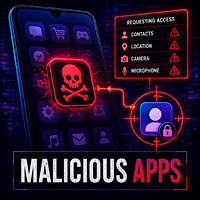 What the method targets: Permissions granted by the account owner.
Instagram users frequently encounter tools promising follower analytics, automatic growth, profile visitors, scheduled content, giveaways, private-profile access or engagement statistics.
Some legitimate services use approved Meta integrations. Others ask users to enter their Instagram username and password directly into an unrelated website, which is a major warning sign.
A malicious service may steal the submitted credentials. A connected service may also receive permissions through an authorization process. Depending on the permission and current platform rules, the service may access certain account information or perform approved actions without holding the password itself.
Even a service that began legitimately can later be compromised, abandoned or transferred to a less trustworthy operator. Remove access when you no longer use an application.
How to Review Connected Access
Open Instagram or Accounts Center independently and review the active apps and websites listed under website permissions. Remove services you do not recognize, no longer use or cannot verify.
Changing the Instagram password is sensible after entering it directly into an untrusted third-party site. Also check your email account and other services if that password was reused.
Avoid applications that promise to show exactly who viewed your profile or guarantee follower growth through secret methods. Claims that require you to disable security protections, provide backup codes or download an unofficial application are especially risky.
9. Email Takeover, SIM Swapping and Recovery-Channel Abuse
 What the method targets: The email address or telephone number used to recover Instagram.
An Instagram password may be strong while the connected email account remains weak. If an attacker enters the email account, they may see security notifications, request password resets, delete warning messages or change recovery details.
Email compromise is especially serious because the same inbox often controls recovery for social networks, stores, cloud storage and financial services.
A SIM-swap attack targets the victim’s telephone number. The criminal attempts to persuade or deceive a mobile carrier into transferring the number to a different SIM or account. If successful, the victim may lose mobile service while the attacker receives calls or SMS messages associated with that number.
This can put SMS-based verification at risk. It does not automatically expose the Instagram password, but it may help an attacker intercept recovery or login codes.
How to Secure Recovery Channels
Give your email account a unique password and its own two-factor authentication. Review email forwarding rules, recovery addresses and active sessions, particularly after an Instagram compromise.
Where available, protect your mobile-carrier account with an account PIN, port-out lock or similar safeguard. Contact the carrier immediately if your phone unexpectedly loses service and you cannot explain why.
For Instagram, an authentication app is generally a stronger primary two-factor option than SMS. Store Instagram backup codes securely offline, and never send them to another person.
Keep the phone number and email address in Accounts Center current. Outdated recovery information can make a legitimate recovery attempt more difficult.
10. Instagram Hacking Software / App
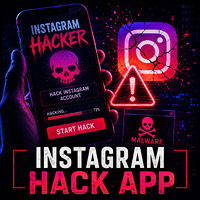 What the method usually targets: The person searching for an Instagram hack app.
Search results, videos and advertisements may claim that an Instagram hacking software tool can reveal any password after the user enters a profile name. Common variations include:
- Online Instagram password generators.
- Private-account hacking applications.
- Brute-force tools supposedly designed specifically for Instagram.
- Modified APK files that promise unrestricted access.
- Programs claiming to bypass two-factor authentication.
- Websites that show a fake progress bar before demanding payment.
You should use these tools with strong caution. Instagram applies login protections, rate limits, device checks and suspicious-activity detection. A public program cannot realistically try unlimited passwords against any account without restrictions.
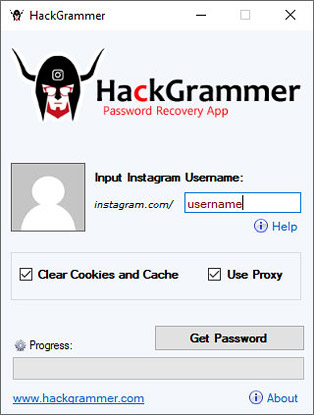
Such apps may display technical-looking messages, proxy addresses or a list of attempted passwords to create the appearance of real activity. At the final stage, it may ask the visitor to:
- Pay for an “encryption key.”
- Complete surveys or install sponsored apps.
- Download an executable or APK.
- Enter their own Instagram credentials.
- Provide a credit card or cryptocurrency payment.
- Share the website with other people.
Usually, no password is delivered because the software never had access to it. The operator earns money from downloads, surveys or stolen information.
– Solution: Use official and trusted sources only when downloading or purchasing them.
Some tools like these may also contain malware. Ironically, a person attempting to use an Instagram hack app can lose their own Instagram account, email, financial details or device.
Can Brute Force Hack an Instagram Password?
Brute force is a general term for testing many possible credentials, but the unrealistic version promoted by “Instagram hacking software” websites ignores modern security controls. Online services can detect abnormal login volume, challenge suspicious devices, restrict requests and temporarily lock activity.
Offline password recovery is a different technical situation involving data that the tester lawfully possesses, such as an encrypted archive belonging to the tester. That does not mean someone can download an app and calculate an Instagram password from a username.
Do not download or pay for software claiming guaranteed Instagram access. Report malicious advertisements and scan the device if you already installed such a program.
11. Hire a Professional Hacker and Account-Recovery Schemes
What the method usually targets: People who are distressed after losing an account.
A person locked out of an important personal, creator or business profile may become desperate when automated support does not immediately resolve the problem. Scammers exploit this urgency by advertising themselves as Instagram hackers, ethical hackers, Meta employees or account-recovery specialists.
They may claim to have:
- An employee contact inside Instagram.
- A secret administration panel.
- Special password-cracking software.
- The ability to remove two-factor authentication.
- A method for recovering any account within an hour.
- Access to Meta databases or support tickets.
After receiving an initial fee, the supposed hacker may demand more money for a server, license, verification certificate, cryptocurrency transaction or final activation. Some ask for the victim’s email password, backup codes, identification documents or remote access to the victim’s computer.
These are serious warning signs. Paying someone to break into an account can expose you to fraud, malware, identity theft and legal consequences. It can also make official recovery more difficult if the scammer changes additional details.
Can a Real Cybersecurity Professional Help?
A legitimate cybersecurity or incident-response professional may help you:
- Check a phone or computer for malware.
- Secure the connected email account.
- Identify phishing messages and preserve evidence.
- Review suspicious browser extensions or applications.
- Document an incident for a business, insurer or law-enforcement report.
- Guide you through Instagram’s publicly available recovery process.
However, an outside professional cannot legitimately bypass Instagram’s ownership checks, enter Meta’s internal systems or guarantee that Meta will restore an account. Only Instagram can validate ownership and restore access through its platform.
A reputable professional should have a verifiable business identity, written scope of work, clear fees and no need for your password or two-factor backup codes. They should not promise to “hack back,” attack another person or contact a mysterious insider.
You might find them useful as well:
> How to Spy Cellphone Without Access?
> How to Hack a TikTok Account?
How to Recover a Hacked Instagram Account in 2026
Step 1: Secure the Device and Email Account
If you suspect malware or keylogging, use a different trusted device for recovery. Update and scan the potentially affected phone or computer.
Secure the connected email account first when there are signs that it was also compromised. Change its password, sign out unfamiliar sessions, enable two-factor authentication and remove unknown forwarding rules or recovery addresses.
Step 2: Use Instagram’s Official Hacked-Account Process
Go directly to:
Instagram’s official hacked-account recovery page
Select the option that matches the problem, such as a hacked account, forgotten password, lost access to a recovery method or impersonation.
Do not search social media for a person claiming to be Instagram support. Start recovery from the Instagram application, Instagram Help Center or the official hacked-account page.
Step 3: Check for an Email-Change Warning
If an attacker changes the email address attached to the Instagram profile, Instagram may send a security message to the previous address. That message may include an option to reverse the change.
Check inbox, spam, trash and deleted folders. Confirm that the message genuinely came from Instagram before following it. You can compare it with recent official emails shown in Instagram’s security settings.
Step 4: Request a Login Link or Another Verification Method
From Instagram’s login screen, use the forgotten-password or login-help option. Enter the username, email address or phone number associated with the account and follow the official prompts.
If the usual recovery method is unavailable, use the “try another way” or support options shown by Instagram. Available choices can vary by account, device and region.
Step 5: Complete Identity Verification
Instagram may ask for additional evidence of ownership. Depending on the profile and situation, this can include information about the account, an identification document or a video selfie.
Complete verification only inside Instagram or an official Instagram page. Do not send identification documents or selfie videos to someone through a direct message, Telegram, WhatsApp or email address they provided.
Step 6: Review the Account After Regaining Access
After recovery:
- Create a new, unique password.
- Confirm that your email address and phone number are correct.
- Enable two-factor authentication with an authentication app.
- Generate and securely store new backup codes.
- Review all logged-in devices and remove unfamiliar sessions.
- Remove unknown connected apps and websites.
- Check Accounts Center for unfamiliar linked profiles.
- Review messages, posts, advertisements and profile changes.
- Notify followers if the attacker sent fraudulent content.
- Secure any other account that used the old password.
How to Protect Your Instagram Account
Use a Unique Password Manager-Generated Password
A unique password prevents a breach of an unrelated service from directly exposing Instagram. A password manager also protects against predictable personal passwords and makes it easier to replace credentials after an incident.
Enable Two-Factor Authentication
Two-factor authentication adds a second requirement when Instagram detects a login from an unfamiliar device. An authentication app is the recommended option where available.
Never approve an unexpected login request or give someone the generated code. A person claiming to need your code for verification, employment, a contest or account recovery is attempting to enter your account.
Save Backup Codes Safely
Backup codes can help when the normal authentication method is unavailable. Store them somewhere private and offline, not in a public note, unprotected screenshot or message conversation.
Treat every backup code like a password. Anyone asking for one is asking for access to the account.
Review Login Activity
Instagram allows users to review devices that have recently accessed the account. Check this periodically and whenever you receive an unexpected login notification.
Location information can be approximate because of mobile networks, internet providers and VPNs. Consider the device type, timing and activity rather than judging only by the displayed city.
Check Recent Emails From Instagram
Use the recent-emails section in Instagram or Accounts Center to determine whether Instagram genuinely sent a security message. This is safer than trusting the sender name shown by an email application.
Remove Unused Apps and Websites
Revoke access for old analytics tools, contests, follower services and applications you no longer trust. Do not enter Instagram credentials directly into an unrelated app claiming to provide hidden analytics or private-profile access.
Protect the Connected Email Account
Your Instagram security is closely connected to your email security. Use a unique email password, enable strong two-factor authentication and keep recovery information current.
Protect Your Telephone Number
Ask your mobile carrier what protections are available against unauthorized number transfers. An account PIN or port-out lock can reduce SIM-swap risk.
Keep Devices and Applications Updated
Security updates correct known vulnerabilities. Update the phone, computer, browser, Instagram app and important extensions promptly.
Be Careful With Brand and Copyright Messages
Creators and business accounts are frequently targeted with fake collaboration files, copyright appeals and verification offers. Verify the sender through an independent channel and never run an executable attachment to review a business proposal.
Frequently Asked Questions
Can someone hack an Instagram password using only a username?
No legitimate tool can reveal an Instagram password from only a username or profile link. Websites claiming to provide this service are commonly scams, malware distributors or survey schemes.
Is there a real Instagram hack app?
There is no trustworthy Instagram hack app that can bypass any account’s password and two-factor authentication. Legitimate cybersecurity tools test systems under authorization; they do not provide instant access to arbitrary social-media accounts.
Can mSpy hack an Instagram account?
mSpy is marketed as parental-monitoring software and should not be described as an Instagram password-hacking tool. Any use must be limited to a device you lawfully own or manage, with the notice and consent required by applicable law.
How do most Instagram accounts get hacked?
Many account takeovers begin with phishing, reused passwords, compromised email accounts, malicious downloads, stolen sessions or deceptive third-party applications rather than a direct compromise of Instagram’s infrastructure.
Can someone hack Instagram through a direct message?
Simply reading an ordinary direct message does not normally surrender the account. The danger arises when the message persuades the user to open a malicious link, download a file, reveal a login code or enter credentials on a fake page.
Can two-factor authentication stop every Instagram hack?
Two-factor authentication substantially improves security but is not a complete replacement for device protection. Phishing may attempt to capture the code, malware may steal an authenticated session, and a compromised email account can interfere with recovery. Use 2FA together with unique passwords, secure devices and careful login reviews.
What should I do if I receive an Instagram password-reset email?
Do not panic or follow an unexpected link automatically. Open Instagram independently, review recent official emails and check login activity. Receiving a reset request does not by itself prove that anyone accessed the account.
Can a professional hacker recover my Instagram account?
An external cybersecurity professional can help secure devices, inspect malware and guide you through official recovery. They cannot legitimately bypass Instagram’s ownership verification or guarantee restoration. Anyone demanding cryptocurrency or claiming to have a secret Meta employee connection is highly suspicious.
What should I do if Instagram support does not respond immediately?
Continue through Instagram’s official recovery and support options, provide consistent information and preserve access to the original email address, phone number and devices where possible. Do not create additional problems by paying an unknown “Instagram hacker.”
Can I recover an Instagram account without the old email or phone number?
Instagram may offer alternative verification routes through the login-help process, including account information or identity verification. The available options depend on the account and whether Instagram can establish ownership.
Should I change my password after an Instagram hack?
Yes, but do so from a trusted device. Also secure the connected email account, sign out unknown sessions, remove suspicious apps and change any other account that reused the same password.
Final Verdict
The phrase “how to hack Instagram password” creates the impression that account takeover requires specialized cracking software. In reality, attackers more often exploit people, reused credentials, infected devices and weak recovery channels.
Keyloggers and monitoring tools can expose activity on a compromised device, but commercial parental-control products such as mSpy are not legitimate tools for entering someone else’s Instagram account. They should only be used within clearly authorized parental, device-management or legally reviewed workplace situations.
Phishing pages imitate Instagram rather than defeat it. Fake hack apps generally target the person downloading them. “Professional Instagram hackers” are frequently recovery scammers seeking money, credentials or identity documents from people who are already distressed.
The most effective defense is a combination of a unique password, authentication-app-based two-factor authentication, secure email, protected devices, careful third-party access and skepticism toward urgent messages.
If your Instagram account is already hacked, do not attempt to hack it back. Secure your email and devices, use Instagram’s official recovery process and warn followers about fraudulent messages. Ethical security begins with authorization—and account recovery begins with proving legitimate ownership.